Press for navigation
Swipe for navigation

Excelmatic

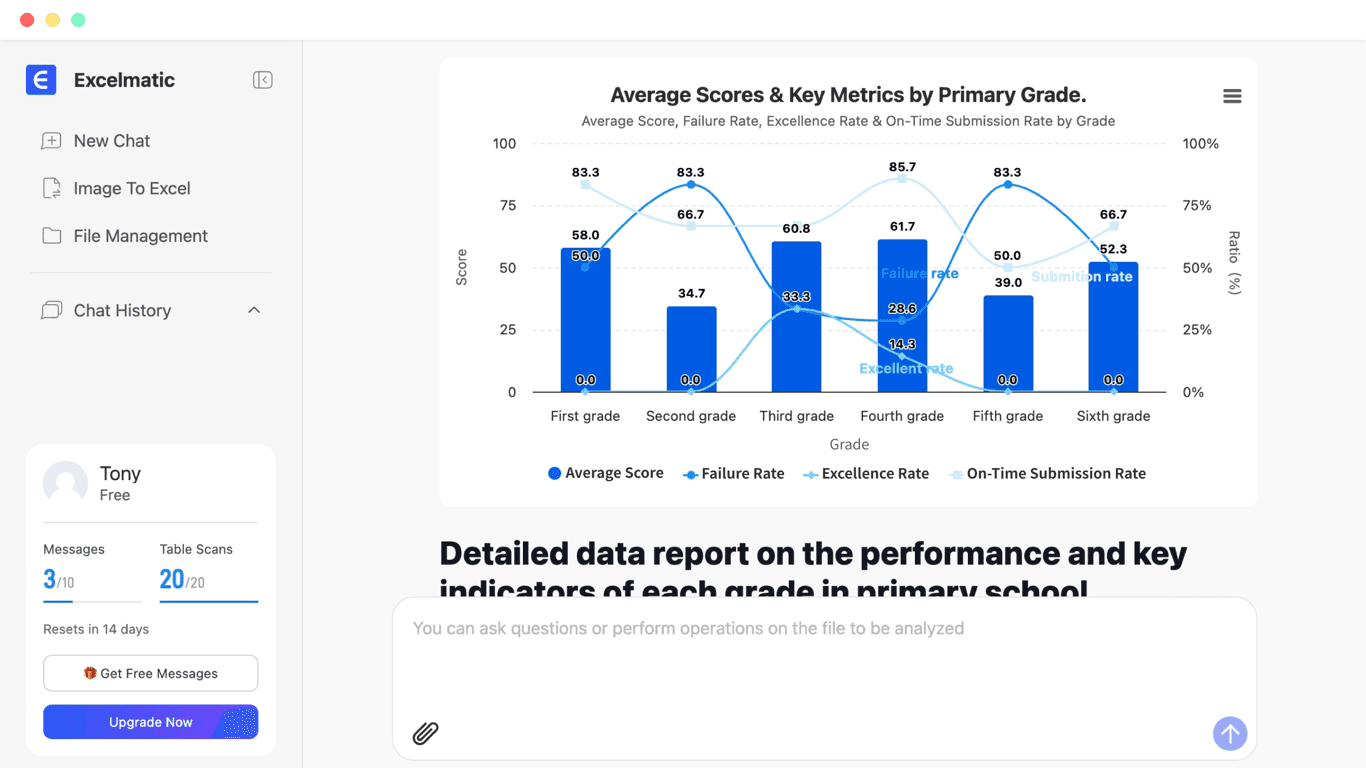
Excelmatic turns plain English into Excel analysis, charts, and dashboards with secure, no‑code automation.
Spreadsheet Updated 1 hour ago
Visit Website
Excelmatic

Excelmatic's Top Features

Natural language commands for analysis, cleaning, and visualization
Automated sorting, filtering, aggregation, and processing
One-click chart and visualization generation (bar, pie, line, scatter, heatmap, histogram)
Dynamic charts that update with underlying data changes
AI-powered insights, trend analysis, and forecasting
Anomaly detection and data recommendations
Instant data aggregation and cleansing across sources
Interactive dashboards and automated reporting with export/sharing
Real-time collaboration with shareable, interactive visuals and chat feedback
Customizable data cleaning rules and batch processing

Frequently asked questions about Excelmatic

Excelmatic is an AI-powered assistant for Excel that processes, analyzes, and visualizes spreadsheet data using natural language—handling formulas, charts, and insights automatically without technical expertise.

It provides instant aggregation and data cleansing, AI-driven insights and forecasting, and enables dynamic dashboards and reports to uncover trends, run multi-dimensional analysis, and detect anomalies.

It can generate bar, pie, line, scatter, heatmap, and histogram charts, with customizable colors, labels, and styles via simple language commands.

No. You can give plain English instructions like “show the top five selling products” or “generate a sales trend chart,” and the assistant executes them automatically.

Yes. It offers one-click data cleaning, batch processing, customizable cleaning rules, and intelligent data type recognition to reduce manual effort and formatting errors.

You can share interactive charts and dashboards for real-time collaboration. Stakeholders can view and request changes via chat, reducing back-and-forth emails.

Excelmatic securely processes uploaded spreadsheets and does not store user data, maintaining privacy and security throughout the workflow.

It supports multiple standard Excel file types, enabling seamless upload and analysis from various sources.

Upload your Excel file, ask questions or give commands in plain English, review AI-generated insights and visualizations, then export or share results instantly.

Business users, teams, students, and professionals—from beginners to advanced analysts—who want to save time and gain deeper insights without manual formulas or chart design.

Excelmatic's pricing

Free

$0/

  • 10 chat messages / month 20 image to excel / month 2 uploaded files / chat 5MB file upload limit Chat history is retained for 30 days Simple analysis Basic charts Download generated excel Download generated charts

Essential

$9.9/monthly

  • 150 chat messages / month 150 image to excel / month 5 uploaded files / chat 50MB file upload limit Chat history is retained for 180 days Basic analysis Full charts Download generated excel Download generated charts Standard email support

Professional

$29.9/monthly

  • Unlimited chat messages Unlimited image to excel 10 uploaded files / chat 100MB file upload limit Chat history is retained for 360 days Model analysis, prediction Full charts with custom themes Download generated excel Download generated charts Priority support

Customer Reviews

Login to leave a review

No reviews yet. Be the first to review!

Top Excelmatic Alternatives

Rows AI

Boost efficiency with Rows AI, the all-in-one spreadsheet for teams, featuring AI integration for da...
Excel Formula Bot

Transform text instructions into Excel formulas effortlessly with the Free Excel Formula Generator....
GRID

Discover Grid Sheets by Grid - the ultimate tool for seamless and efficient data management. Create,...

Excel Formularizer

Generate and explain Excel formulas, SQL queries, regular expressions, and VBA scripts with 100 free...

Formularizer

Formularizer offers tools for Excel, Google Sheets, SQL, and more. Sign up and get 100 free credits...

Luminal

Experience AI-driven spreadsheet management. Clean, transform, and analyze data seamlessly with Lumi...

Prev Project
Next Project