Press for navigation
Swipe for navigation

Auri.AI

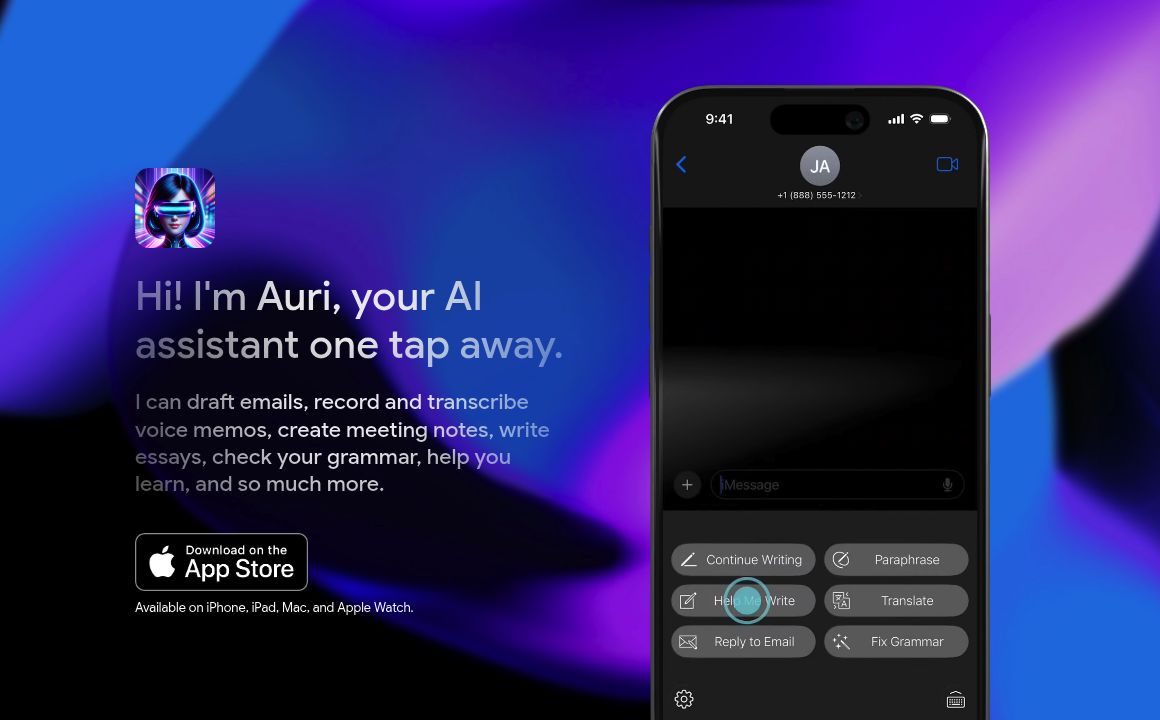
Explore Auri AI, your all-in-one AI assistant for drafting emails, transcribing voice memos, creating notes, and more, available on Apple devices.
AI Assistant Updated 23 seconds ago
Visit Website
Auri.AI

Auri.AI's Top Features

AI-Powered Keyboard
Voice Recorder & Transcriber
Multilingual Translation
Grammar & Spelling Correction
Smart Notes
AI Chat
Keyboard Dictation
Privacy-First Design
Text-to-Speech Pro
Customizable Characters & Engines

Frequently asked questions about Auri.AI

Yes! Auri AI Keyboard works in all your favorite apps and browsers. You can use all AI features on apps like X/Twitter, Facebook, iMessage, Messenger, WhatsApp, Gmail, Telegram, Apple Mail, Instagram, TikTok, Roblox, Twitch, Discord, Kik, Snapchat and thousands of other apps and websites.

Simply head over to the app settings, scroll down to 'Keyboard Settings,' tap 'Keyboard Languages,' and select the languages you need. You can then switch between languages with a single tap.

Granting Full Access allows the keyboard to connect to the internet. Without it, you can still type, but AI features like grammar correction, email replies, writing, paraphrase, or translation won't be available. Auri AI Keyboard is privacy-first and cannot access password or credit card fields and does not collect data.

Auri is privacy-first by design, meaning it cannot access password or credit card fields. The only data collected is your Auri account details: email, name, and UUID. Auri doesn't track, store, or collect what you type or say.

Absolutely! Auri's state-of-the-art transcription engine supports a vast array of languages including Arabic, Chinese, French, German, Italian, Japanese, Korean, Russian, Spanish, and many more.

Yes, the free version grants access to nearly all features with daily limits, sufficient for 97% of users. The Pro membership provides unlimited access to everything and starts at $9.99/mo.

Yes! All Keyboard Features except for 'Continue Writing', 'Help Me Write', and 'Email Reply' work on the entire text or a selected part of it. For better results, it is recommended to apply features to short selected texts.

1. Check your internet connection. 2. Ensure you have enabled 'Full Access' in Settings. 3. Verify you are using the most recent versions of Auri and iOS.

Tap and hold the 🌐 keyboard key, select Auri AI. If you don't see Auri AI, enable it in settings under Auri > Keyboards > Allow Full Access.

Yes, Auri is available on iPhone, iPad, Mac, and Apple Watch, making it convenient to use across all your Apple devices.

Auri.AI's pricing

Free

$0/

  • Access to nearly all features
  • Daily limits on usage

Pro

$9.99/monthly

  • Unlimited access to all features

Customer Reviews

Login to leave a review

No reviews yet. Be the first to review!

Top Auri.AI Alternatives

Kai App

Upgrade your writing and creativity with ChatGPT on your iPhone's keyboard. Save time with intellige...

Algomo

Boost productivity with Algomo's AI HelpDesk—85% automation rate and 10X agent productivity increase...

Qonqur

Explore intellectual freedom with Qonqur's pre-built knowledge maps and join the early adopter beta...

SmartflowAI

Discover SmartflowAI: your partner in intelligent workflow automation using generative AI to save ti...

Facia.ai

Explore Facia.ai's advanced facial recognition and verification solutions, catering to diverse indus...

Loyae

Discover Loyae v1.02 - offering API, features, and a supportive Discord community. Streamline your e...

Prev Project
Next Project