Press for navigation
Swipe for navigation

RipX

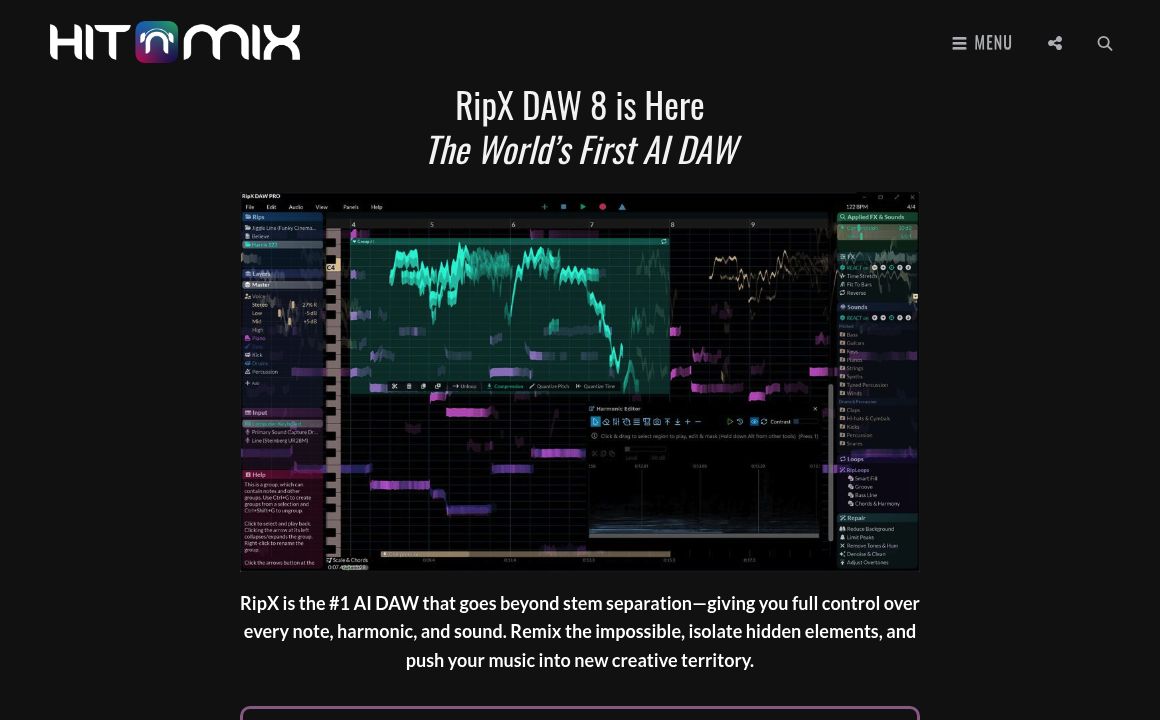
Experience unparalleled audio editing with RipX DAW. Split stems, edit notes, and customize sounds using advanced AI tools.
Audio Editing Updated 29 minutes ago
Visit Website
RipX

RipX's Top Features

AI-powered stem separation
Note-level editing
Sound replacement
Pitch and tempo adjustments
Harmonic and unpitched sound editing
Audio cleanup and repair
Live effects
Integration with major DAWs
Advanced Audioshop® tools
Harmonic Editor for detailed sound manipulation

Frequently asked questions about RipX

RipX DAW is a digital audio workstation that uses AI to provide advanced audio editing capabilities, allowing users to split stems, edit notes, replace sounds, and more.

RipX DAW requires macOS 10.12+ or Windows 7/8/10/11 (64-bit) with a minimum of 2 Core 2.5GHz CPU, 8 GB RAM, and 20 GB free disk space. Recommended specs include 4+ Core CPU / Apple Silicon M1/M2, 16+ GB RAM.

Yes, you can get a 21-day free trial of RipX DAW PRO by entering your email to receive a trial code and full access.

After the 21-day free trial, you will need to purchase an activation code to permanently enable all the features of RipX DAW.

Yes, if you work in a post-production environment or similar without internet access, you can contact RipX DAW for offline activation.

Music producers can split stems, create virtual instruments, humanize generative AI music, access built-in sounds, replace parts, add FX, sample music, and more with RipX DAW.

Yes, RipX DAW integrates with major DAWs using RipLink VST3/ARA2 & AudioSuite plug-ins for seamless workflow and advanced audio manipulation.

Audioshop® tools allow users to adjust pitch, time-stretch, copy and paste notes, edit unpitched sounds, draw sounds, split/join notes, clone characteristics, fine-tune pitch, and smooth regions for precise audio editing.

RipX DAW PRO includes all features of RipX DAW and adds advanced stem cleanup, Harmonic Editor, unpitched audio editor, and RipScript scripting language for custom tool creation.

The Harmonic Editor provides complete control over the harmonics of a note, perfect for noise removal, timbre adjustment, and creating new sounds.

Customer Reviews

Login to leave a review

No reviews yet. Be the first to review!

Top RipX Alternatives

Express Scribe

Download Express Scribe Transcription Software for efficient audio transcription. Supports over 45 f...
Aflorithmic

AudioStack: The enterprise solution for AI-powered audio production, enabling cost and time-efficien...

AudioStrip

Discover AudioStrip: The ultimate tool for musicians to separate, denoise, batch process, master, an...

Bocca

Bocca powers real-time AI voice agents and storytelling with a simple API, natural voices, and world...

AudiOverFlow

AudioOverflow offers studio-quality AI voice generation, text-to-speech, voice cloning, audio editin...

Xound.io

Xound upgrades audio with AI noise removal, leveling, and voice cloning—fast, private, and easy to u...

Prev Project
Next Project