Running Windows Games on macOS: Complete Guide Using Sikarugir Wine Compatibility Layer
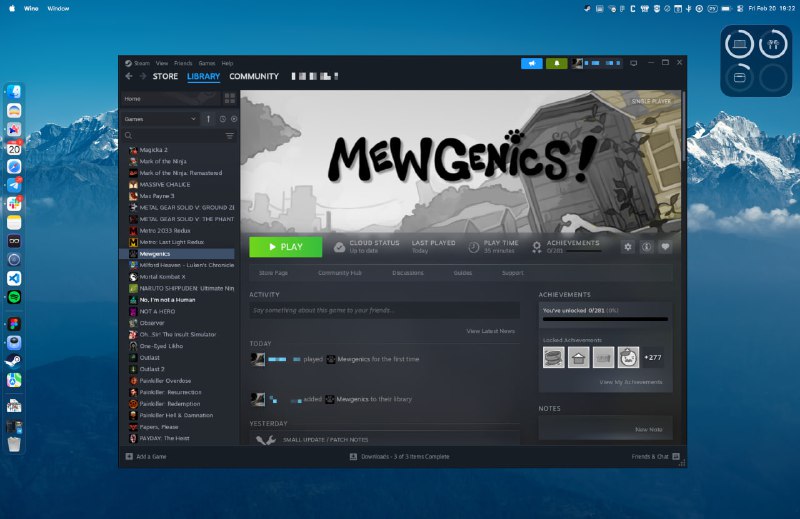
A viable solution has been identified for running Windows games on macOS without requiring paid software licenses or dual-boot configurations. The method leverages the open-source Sikarugir compatibility layer to achieve native-like performance.
Implementation Steps:
1. Download Sikarugir from the official GitHub repository
2. Launch the Sikarugir Creator application
3. Select the WS12WineSikarugir10.0_4 engine from the available options
4. Initialize the environment by clicking Create
5. Navigate to Winetricks within the newly created prefix
6. Locate and install the Steam client through Winetricks
7. Return to the main interface and specify the path to the Steam executable (.exe)
8. Launch and configure your gaming library
Performance Analysis:
Testing across multiple game titles has demonstrated stable performance characteristics. The solution proves viable even for resource-intensive AAA titles, providing a cost-effective alternative to commercial compatibility solutions or virtualization platforms.
For advanced configuration options, including graphics API optimization and performance tuning parameters, comprehensive documentation is available through the project's video tutorial.
Sources:
• GitHub Repository: https://github.com/Sikarugir-App/Sikarugir
• Detailed Setup Guide: https://www.youtube.com/watch?v=pCgYxRPIqjE&t=23s
🔔 Stay tuned and subscribe →
Related news



Try these AI tools

Design personalized avatars effortlessly with Avatars AI's advanced technology and user-friendly int...

Enhance video quality with AnyEnhancer by iMobie – AI-powered upscaling, colorization, denoising, an...