Press for navigation
Swipe for navigation
NeuralBox
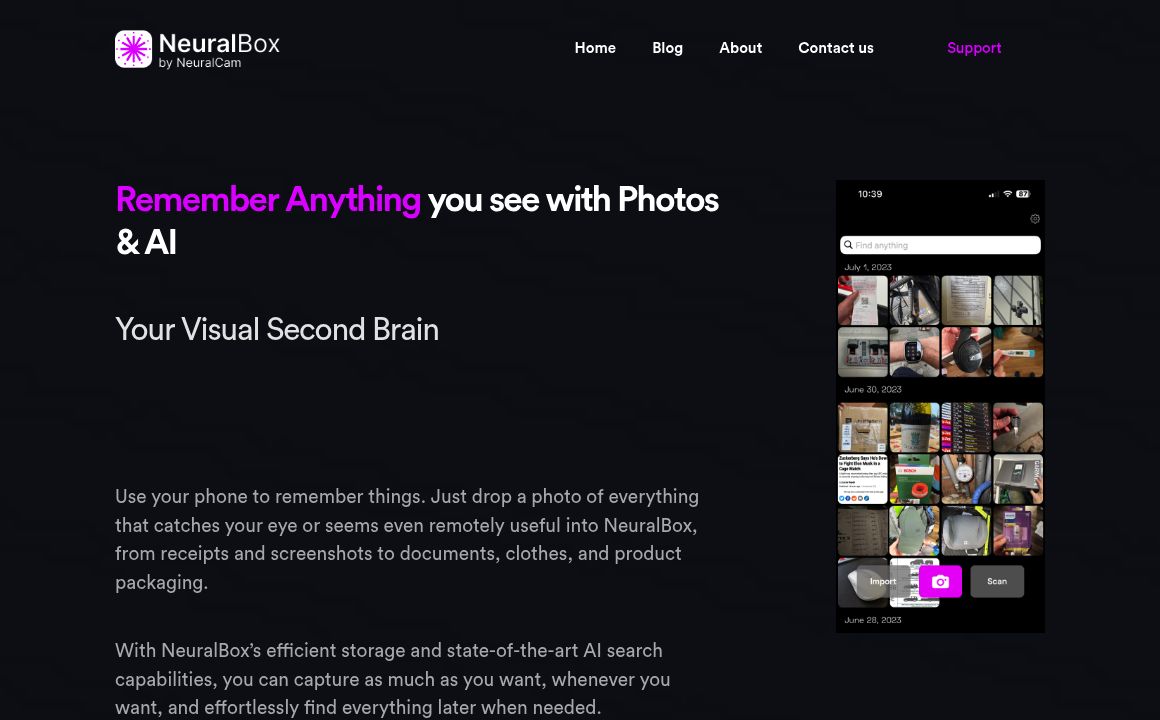
Capture, store, and retrieve photos effortlessly with NeuralBox's AI-powered search and uncluttered storage.
Image Management
Updated 20 minutes ago
NeuralBox's Top Features
AI-powered search
OCR capabilities
Effortless photo capture
Integrated scanning mode
Auto-importing screenshots
Ample cloud storage
On-device storage
Uncluttered main gallery
Visually similar image browsing
No need for manual organization
Frequently asked questions about NeuralBox
You can store various types of images, including receipts, documents, screenshots, product packaging, and more.
With NeuralBox, you don't need to organize your photos manually. The app's AI models index objects and text within images for easy retrieval.
Yes, NeuralBox allows you to seamlessly import photos from your existing library.
You can use the Share extension to directly import screenshots into NeuralBox without saving them to your main gallery.
Yes, NeuralBox provides ample cloud storage in addition to efficient on-device storage.
The AI search function allows you to type a description to find specific objects or text within your photos, making retrieval simple and efficient.
Yes, NeuralBox includes an integrated scanning mode for precise document input.
Absolutely. NeuralBox provides a feature to browse images that are visually similar in color, texture, and shape.
NeuralBox stores your utility photos separately, ensuring your main gallery remains clear for special moments.
NeuralBox combines efficient photo storage with advanced AI search and OCR capabilities, providing a clutter-free, easy-to-use interface for capturing and retrieving photos.
Category
Image ManagementTop NeuralBox Alternatives
IMGtopia
0Efficiently manage, edit, and share your images with ImgTopia's robust tools and features.

Cloudinary offers a complete solution for managing, optimizing, and delivering images and videos for...
Prev Project