Press for navigation
Swipe for navigation
AI Form Builder
Create and update forms effortlessly with Fillout AI Form Builder. No-code editor, easy customization, free up to 1000 submissions/month.
Form Creation
Updated 2 hours ago
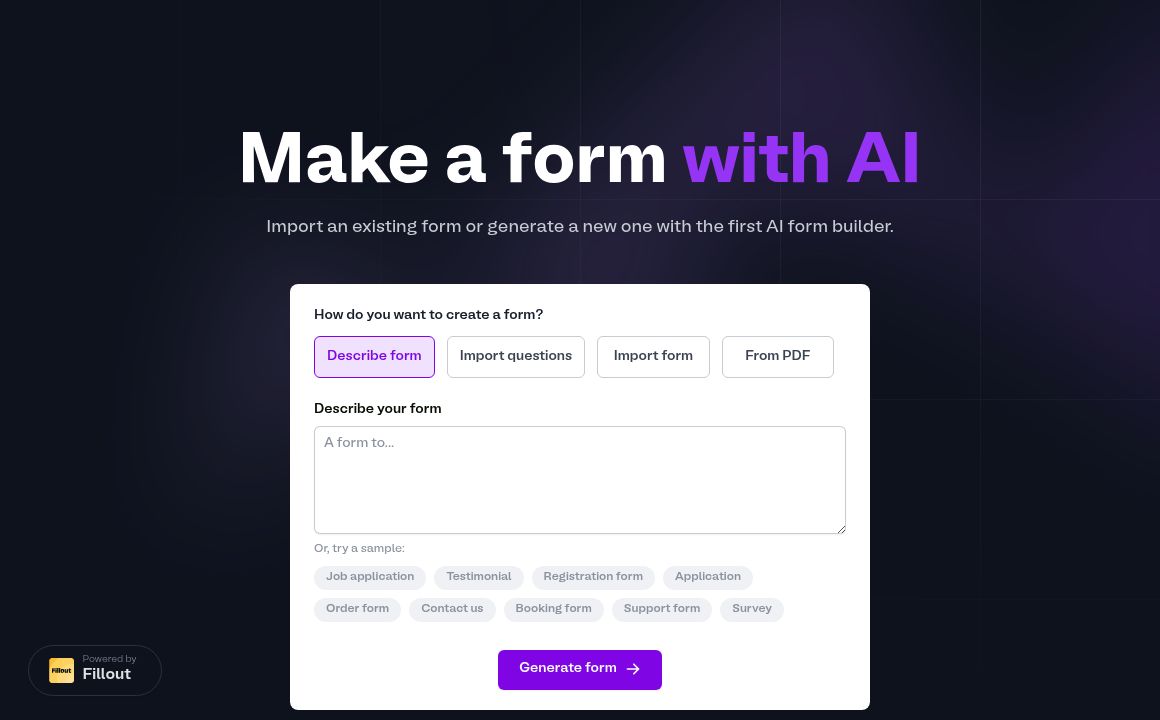
AI Form Builder's Top Features
AI-generated forms
No-code editor
PDF to form conversion
AI-based updates
Design customization
Free up to 1000 submissions/month
AI helper tools
Various templates available
Publicly shareable forms
Embed forms on websites
Frequently asked questions about AI Form Builder
Yes, you can describe your form, import questions, or convert an existing form including PDFs using Fillout AI Form Builder.
Yes, you can fully customize your generated forms using Fillout's powerful no-code editor and AI helper tools.
Yes, the AI Form Builder is free for up to 1000 submissions per month. Premium plans are available for advanced features.
Yes, Fillout has both an AI Quiz Builder and an AI Survey Maker.
Yes, simply choose the 'From PDF' option and upload your PDF to convert it into an online form.
Yes, Fillout forms include a public link that you can share or embed on your website.
Yes, Fillout's AI can automatically draft updates for your forms based on your specifications.
No, you can start customizing your form using the no-code editor without needing to sign up.
Yes, Fillout's AI can generate a form style that matches your brand, based on an image you provide.
You can create various types of forms, including job applications, testimonial forms, surveys, and quizzes.
AI Form Builder's pricing
Free
$0/monthly
- Unlimited forms
- Up to 1000 submissions per month
- Basic themes
Pro
$20/monthly
- Everything in Free plan
- Up to 10,000 submissions per month
- Advanced themes
Business
$50/monthly
- Everything in Pro plan
- Up to 50,000 submissions per month
- Custom themes and branding
Prev Project